

High speed printer guide: how to choose a fast printer for a busy office
What is a high speed printer?
A high speed printer is a business printer that prints many pages per minute, delivers the first page quickly and keeps printing through heavy daily volumes. Pages per minute (ppm) is the number of A4 pages a printer produces in one minute once it is running.
There is no official ppm figure that makes a printer "high speed". Speed is relative to the work it has to do. A printer that comfortably serves a small team can become a bottleneck for a busy finance or legal department.
The right choice depends on how many people print, how many pages they print and what kind of jobs they send. The rest of this guide shows you how to check each of these.
How print speed is measured
A printer's specification sheet usually shows two speed figures. They answer different questions.
Pages per minute tells you how quickly long jobs run. First page out time tells you how long you wait for short ones.
Pages per minute (ppm)
The ppm figure shows how many A4 pages a printer can produce in one minute once printing is under way. Manufacturers rate this figure under set conditions. It is most useful for comparing models, rather than predicting your exact wait at the printer.
ISO/IEC 24734 gives a standard way to measure printing productivity using typical office jobs. Even so, ISO states in the ISO/IEC 24734 productivity standard that "This document is not intended to replace manufacturer's rated speeds." Your own results will depend on the job, the print settings and whether you use duplex (printing on both sides of the page).
First page out time
First page out time is the wait between sending a job and the first page landing in the output tray. Most office jobs are short, such as a letter, an invoice or a two-page form. For these jobs, this figure often shapes how fast a printer feels.
Specification sheets may call it first print out time (FPOT). The ISO/IEC 17629 first print out time standard explains that "This document specifies a method for measuring first print out time (FPOT) of digital printing devices." For example, the OKI B513dn A4 mono printer specification lists "First Print Out Time: Approx. 4.1 seconds".
How much speed does your office need?
The highest number on a specification sheet is not always the right one for your team. A better approach is to match your high speed printer to your team size and monthly print volume. Monthly print volume is the number of pages a team or printer handles in one month.
OKI's UK category pages list the number of users for each office model, and the mono page also lists a monthly print volume. These figures make it simpler to match a printer to the people who will use it.
Duty cycle is a manufacturer's rating for how many pages a printer can handle in a month. Treat the maximum duty cycle as a ceiling rather than a target, and plan around the recommended figure where one is given. For example, the OKI C651 A4 colour printer specification lists "Duty Cycle: Recommended: 8,000 pages/month / Maximum: 100,000 pages/month".
Use this three-step check before you shortlist a high-volume printer:
- Count your users: Note how many people will send jobs to the printer on a normal working day.
- Estimate your monthly pages: Use print logs, or a typical month's paper use, to estimate the total.
- Check your typical job length: Decide whether most jobs are short letters and forms or long reports and teaching packs.
If your estimate sits close to a model's recommended figure, consider the next model up. That headroom helps during busy periods such as month-end, audits or the start of a school term.
Features that keep a fast printer fast
A high speed printer only helps your team if it keeps running. Three practical factors decide this: paper capacity, uptime and security.
Paper capacity
Small paper trays need frequent refills, and every refill pauses a long job. For a busy office, a large standard tray and room to add more paper keep big jobs moving.
The B513dn specification lists "Tray 1 : 530 sheets / Multi-purpose tray : 100 sheets / (Optional)Additional Tray : 530 sheets". The OKI UK mono category page lists its maximum paper capacity as "2,220 sheets of 80gsm". Here, 80gsm (grams per square metre) is the weight of standard office paper.
Uptime and simple maintenance
Downtime is the hidden speed killer. A printer with a high ppm rating prints nothing while it waits for an engineer.
The B513dn product page states: "User-replaceable fuser and top-loading consumables mean fewer service calls and less downtime". The fuser is the part that uses heat to fix toner onto paper, and consumables are items such as toner that you replace over time.
The B433dn A4 desktop mono printer and the B513dn both use LED exposure with dry development. Their specifications describe the printing method as "Electrophotographic Technology (LED exposure / single component type dry development / OPC drum)".
Security on a shared printer
A shared high speed printer handles documents from many people, such as payroll reports, exam papers and client contracts. Pages left in the output tray can be seen or collected by the wrong person.
This is a real risk for many organisations. In July 2026, the Quocirca Print Security Landscape 2026 found that "67% of organisations across the UK, France, Germany, and the US experienced at least one print-related data loss in the past year".
A practical step is to hold each job until its owner is standing at the printer. Private Print is a feature that does this: the document waits at the printer until the user releases it. The OKI UK colour category page lists the C651 with "Security: Private Print and optional Card Release".
Mono or colour: which is right for speed?
Start with the documents your team produces, then check the speed figures. Most offices fall into one of two patterns:
- Mono for text-heavy work: Invoices, forms, contracts and reports depend on clear, legible text rather than colour.
- Colour for client-facing work: Proposals, presentations and teaching packs often use colour to make charts, logos and key points stand out.
Some colour printers print colour at the same rated speed as mono. The C651 specification lists an A4 print speed of 35 ppm colour and 35 ppm mono.
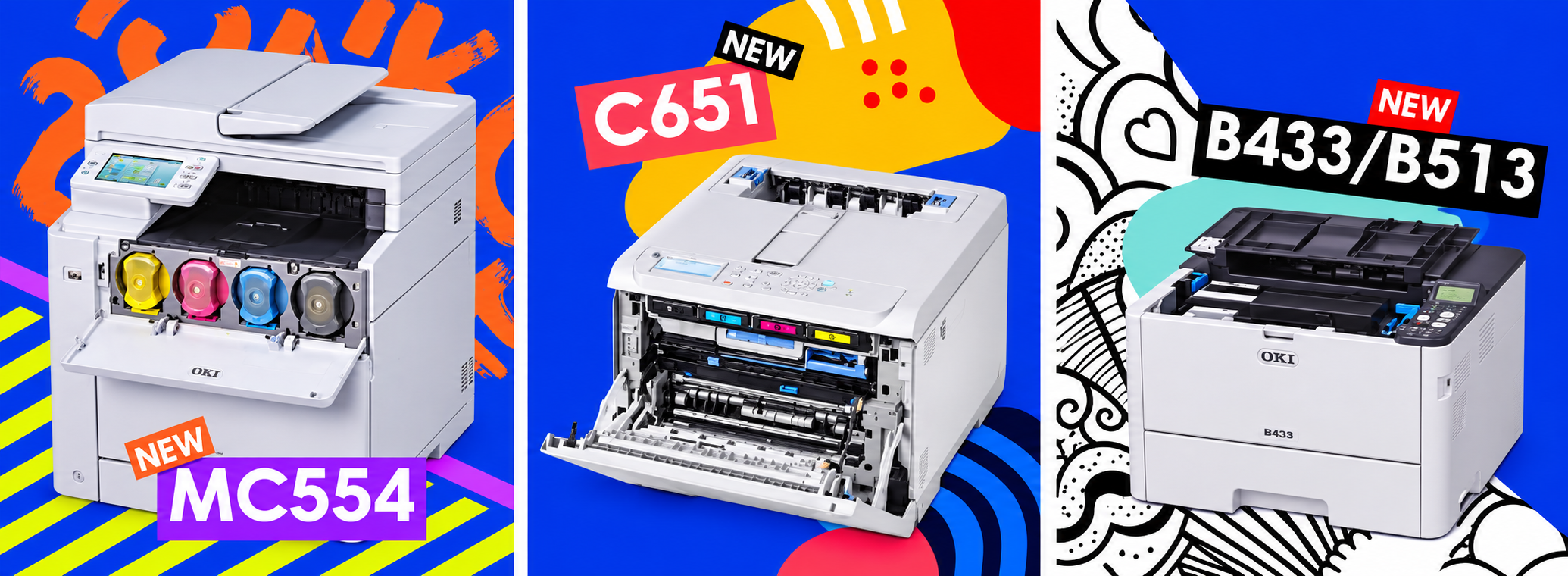
A multifunction printer (MFP) is a single device that prints, scans and copies, and some models also fax. The OKI MC554 A4 colour multifunction printer is an MFP rated at 32 ppm colour and 32 ppm mono. If most of your print is text, you can compare OKI mono printers side by side before you decide.
Fast OKI printers for busy offices compared
The table brings together the key figures for four OKI A4 office printers. All figures come from the official OKI UK product, specification and category pages.
| Printer | Best for | A4 print speed | First print out time | Users | Monthly volume / duty cycle |
|---|---|---|---|---|---|
| B513dn | Heavy mono print runs | 45 ppm | Approx. 4.1 seconds | 1 - 15 | Monthly print volume: 100,000 pages |
| B433dn | Smaller teams that need compact mono print | 40 ppm | Approx. 4.5 seconds | 1 - 10 | Monthly print volume: 80,000 pages |
| C651 | Colour and mono documents at equal speed | 35 ppm colour, 35 ppm mono | Colour: approx. 6.5 seconds / Mono: approx. 6.5 seconds | 1 - 20+ | Duty cycle: recommended 8,000 pages/month / maximum 100,000 pages/month |
| MC554 | Colour print, scan, copy and fax in one device | 32 ppm colour, 32 ppm mono | Colour: approx. 8.4 seconds / Mono: approx. 7.4 seconds | 1-20+ | See product page |
For heavy mono print runs, such as reports, invoices and contracts, look first at the OKI B513dn mono printer. OKI designed it for high volumes and for productive offices with heavy duty print runs. At 45 ppm, it has the highest rated speed of the OKI A4 office printers in this guide.
Smaller teams that still want fast mono print can choose the compact B433dn desktop printer. OKI built it for maximum speed and efficiency, with a low-profile design and full front operation for tight spaces and under-desk use. The mono category page lists a maximum paper capacity of 1,940 sheets of 80gsm.
For client documents, reports and teaching packs in colour, the OKI C651 A4 colour printer keeps colour and mono at the same rated speed. OKI describes it as offering the speed and media handling of a workgroup device in a compact and robust desktop design.
Teams that also scan and copy can choose the MC554 colour multifunction printer. It delivers A4 colour print, scan, copy and fax from a single compact device, with print and copy speeds of up to 32 ppm. Its specification lists a single path duplex document feeder that holds a maximum of 50 sheets.
Need A3 or specialist print?
If your office prints A3 colour documents, such as large reports, plans or posters, explore the OKI C800 series A3 printers. For labels, packaging or short-run production, OKI's production and packaging printers are a separate range designed for that work.
Frequently asked questions
These short answers cover common questions about choosing a fast office printer.
Which printer has the highest speed?
The answer depends on the category of printer you compare. Among the OKI A4 office printers in this guide, the B513dn has the highest rated speed at 45 ppm.
What is a good print speed for a busy office?
There is no single high speed printer figure that suits every office. Match ppm and first page out time to your users and monthly pages, and plan around the recommended volume rather than the maximum duty cycle.
How many pages per month can a high-volume printer handle?
It varies by model, so check the official figures for each printer. For example, the B513dn lists a monthly print volume of 100,000 pages, and the C651 lists a recommended 8,000 and maximum 100,000 pages per month.
Is colour printing slower than mono?
It can be on some printers, but some models print both at the same rated speed. The C651, for example, is rated at 35 ppm for both colour and mono.
Choose the right high speed printer for your team
Check first page out time for short jobs and ppm for long ones. Match the printer to your users and monthly volume, then make sure paper capacity, simple maintenance and secure release keep it running.
For heavy mono print runs, choose the B513dn, which OKI designed for high volumes with a large standard paper capacity. For colour documents, choose the C651, which prints colour and mono at the same rated speed. If your team also scans and copies, the MC554 brings print, scan, copy and fax together in one compact device.
Open the product page linked above for your chosen printer, then use its Buy Now section to order the right printer for your office.